SwiftStealth bundles proxying, fingerprinting, rotation, leak protection and testing into one macOS app. Here's how each piece works, and why it matters for privacy and multi-account workflows.
A proxy group is the heart of SwiftStealth. It bundles a pool of your proxies, the apps that should use them, a rotation schedule, a fingerprint persona and a kill-switch. Run several groups at once: one for the browser, another for a different app entirely.
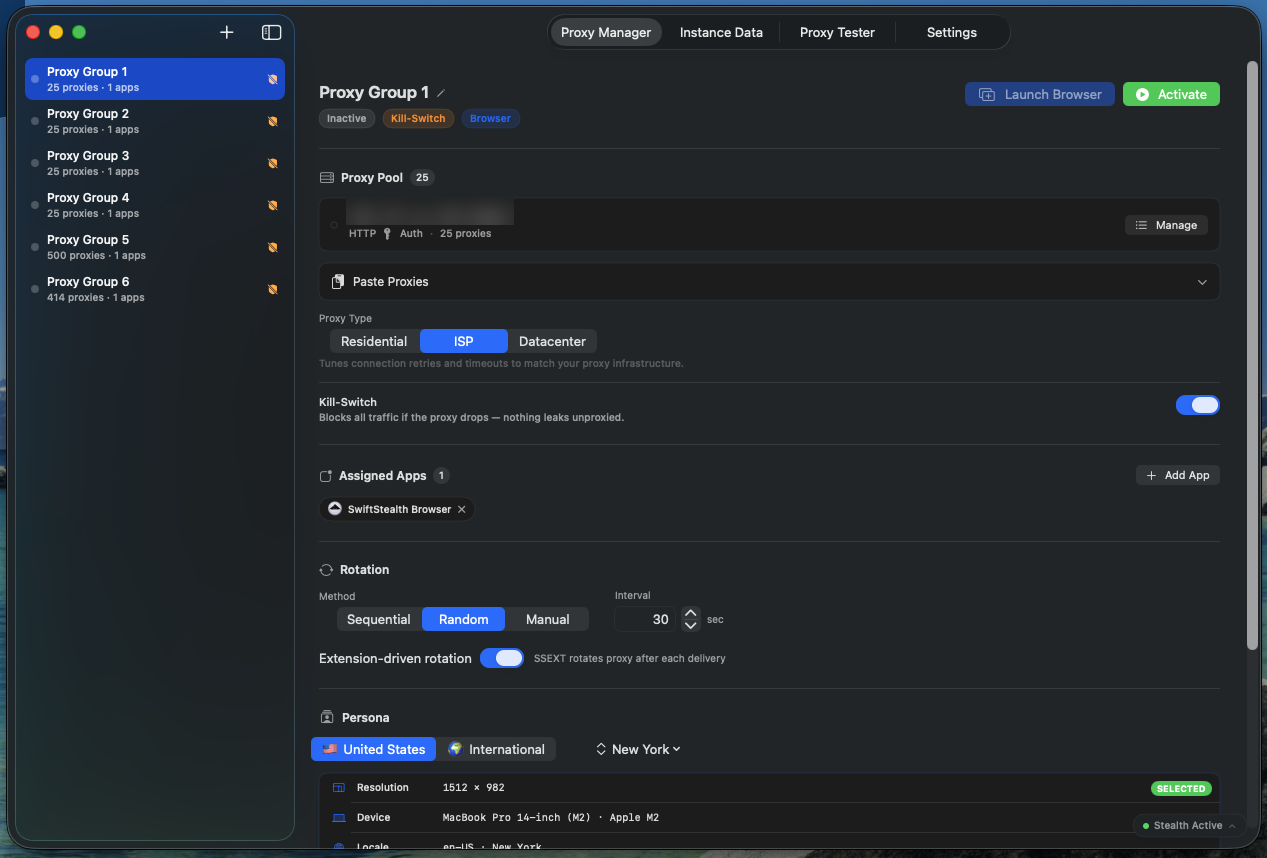
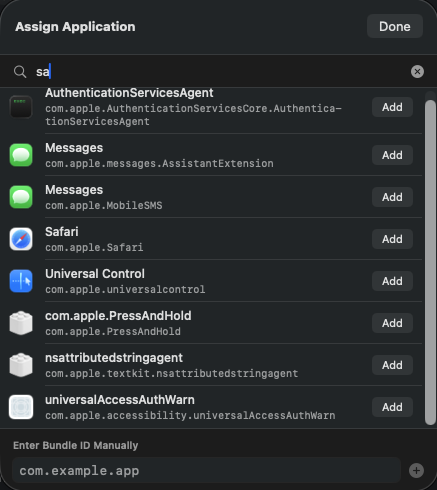
Tell SwiftStealth precisely which apps flow through each group. Search by name, browse the list with icons and bundle IDs, or enter a bundle ID manually for anything that isn't listed.
Add the SwiftStealth Browser to a group to unlock stealth windows and persona controls. Assign Safari, Chrome or Firefox to protect ordinary browsing too. For Firefox, the internal plugin-container helper is routed as well, so WebRTC can't leak your real IP.
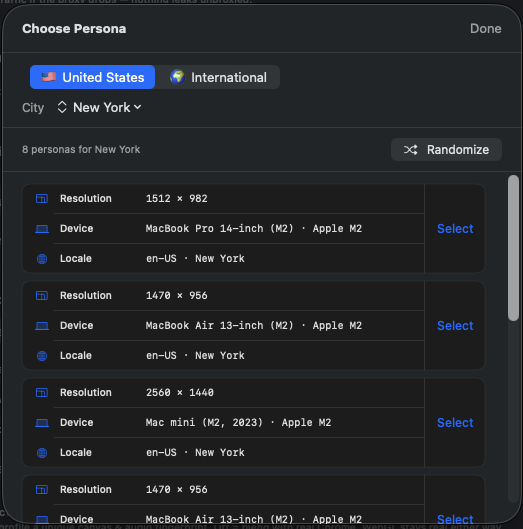
A persona is the device identity a browser window presents to websites: user-agent, screen resolution, locale, timezone and more, all drawn from a real Apple device cluster. Pick a region and city, lock one in, or let every window get a fresh random one at launch.
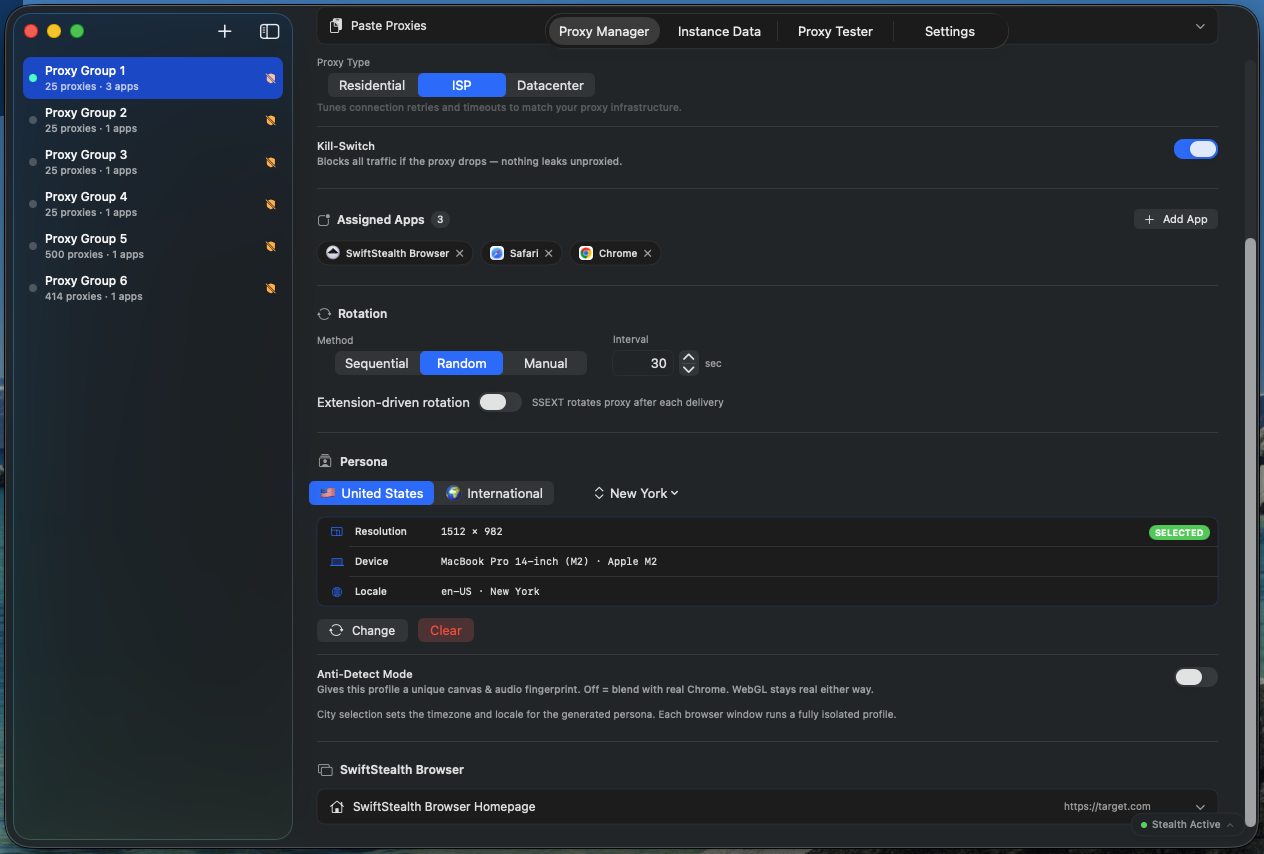
Rotate sequentially, randomly, manually, or automatically after each task delivery. Set the interval down to ten seconds, and arm the kill-switch so that if the active proxy ever drops, all traffic for the group is blocked until it reconnects.
DNS, WebRTC and IPv6 are the three channels that quietly expose your real IP. SwiftStealth blocks all of them, continuously, whenever a group is running.
A dedicated DNS filter stops your lookups from leaking to your internet provider, approved once and then active for good.
WebRTC can reveal your real address even behind a proxy. SwiftStealth keeps it from leaking, including via browser helper processes.
IPv6 is blocked so it can't slip past an IPv4 proxy, and the kill-switch fails closed the instant a proxy drops.
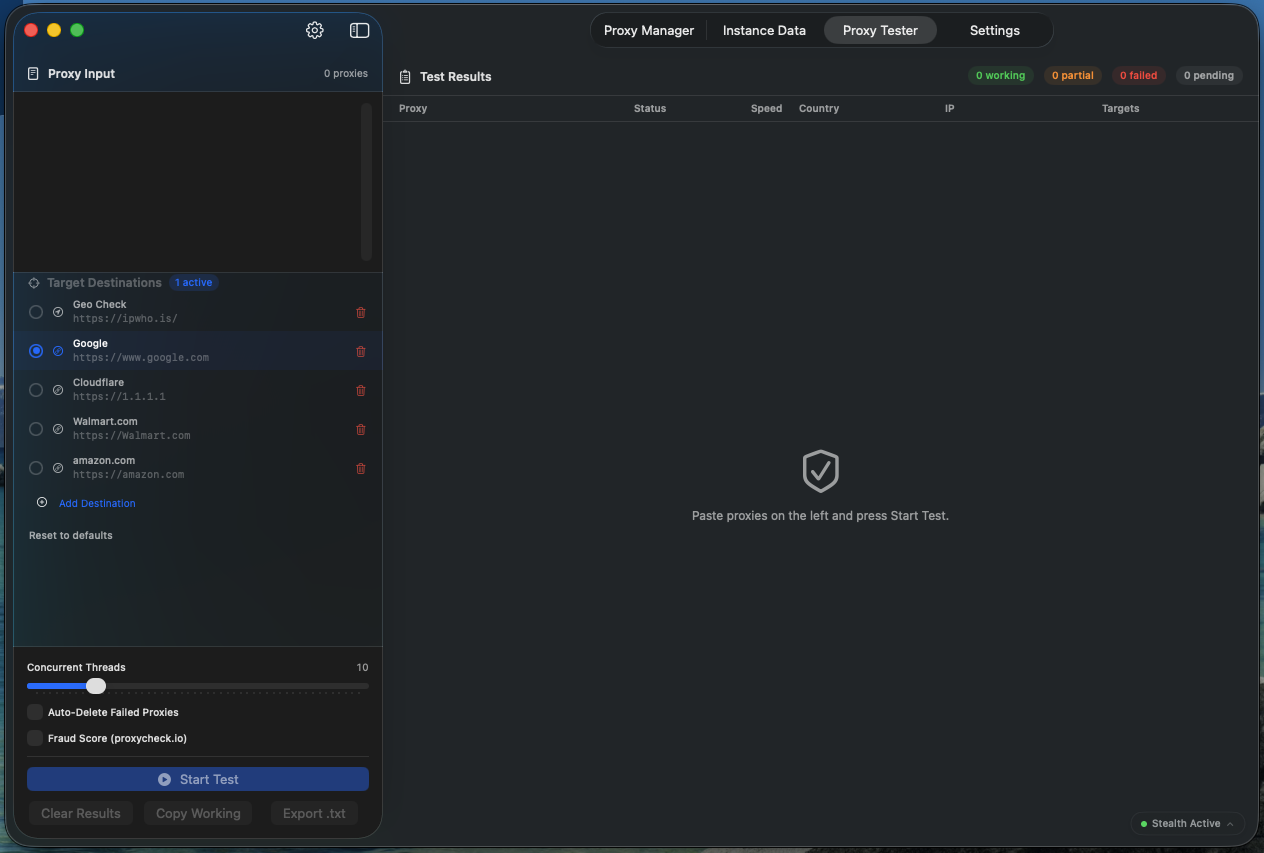
Before you trust a batch of proxies, test them here. Check each proxy's speed, the country and IP it exits from, whether it can reach the destinations you care about, and how risky its exit IP looks to fraud-detection services, all running in parallel.
import requests

BASE = "http://127.0.0.1:51820"
AUTH = {"Authorization": "Bearer your_api_key"}

# Launch a stealth instance
inst = requests.post(f"{BASE}/v1/instances",
    headers=AUTH, json={
        "proxyUrl": "socks5://user:pass@ip:1080",
        "country":  "US",
    }).json()

print("Launched:", inst["instanceId"])

# Read live stats, then rotate or terminate
requests.get(f"{BASE}/v1/stats", headers=AUTH)On Pro and Business plans, SwiftStealth runs a local HTTP and WebSocket API so you can launch browser instances, rotate proxies, generate personas and stream live stats programmatically. It's bound to localhost only and never reachable from outside your Mac.
Every plan includes the complete suite. Choose your instance and device count and get started in minutes.